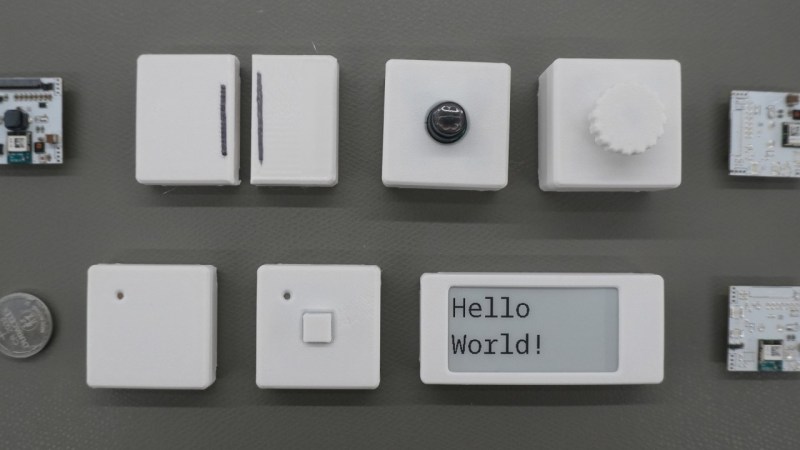
There’s a reason that the standards specifications for various wireless communications protocols are extremely long and detailed. [Made by Dennis] found this out first hand when he decided to build a wireless button from scratch.
The major issues with wireless devices is one of power consumption. If reliable power is available from a wall plug or solar panel, this isn’t as serious of a concern. But [Dennis] is using batteries for his buttons, so minimizing power consumption is a priority. He’s going with the nRF52, a microcontroller designed for low power and which has a built in wireless radio, and configuring it in a way that uses the least amount of energy possible.
From there, [Dennis] turns to the wireless communication. He goes into detail about how the microcontroller is woken up, how it sends its data packets to another wireless-enabled microcontroller, and how they handle handshakes and acknowledgements of data. For something as simple as a button press, it gets quickly more complicated especially when adding some basic encryption and security to the communications protocol.
With all the design decisions out of the way, the system can be built. [Dennis] has created custom PCBs for his devices, and also included some expansion I/O for other sensors and peripherals beyond just a pushbutton. All of the schematics and code are available on the project’s GitHub page and the STL files can be found at Printables.
For those new to offline home automation or who are turning away from cloud-based services lately, there are some easy entry points that don’t require much extra hardware or expenditure.